SE - AI chatbot docs
User manual, architecture, and installation reference for SE - AI chatbot
Document upload
/admin/document-upload
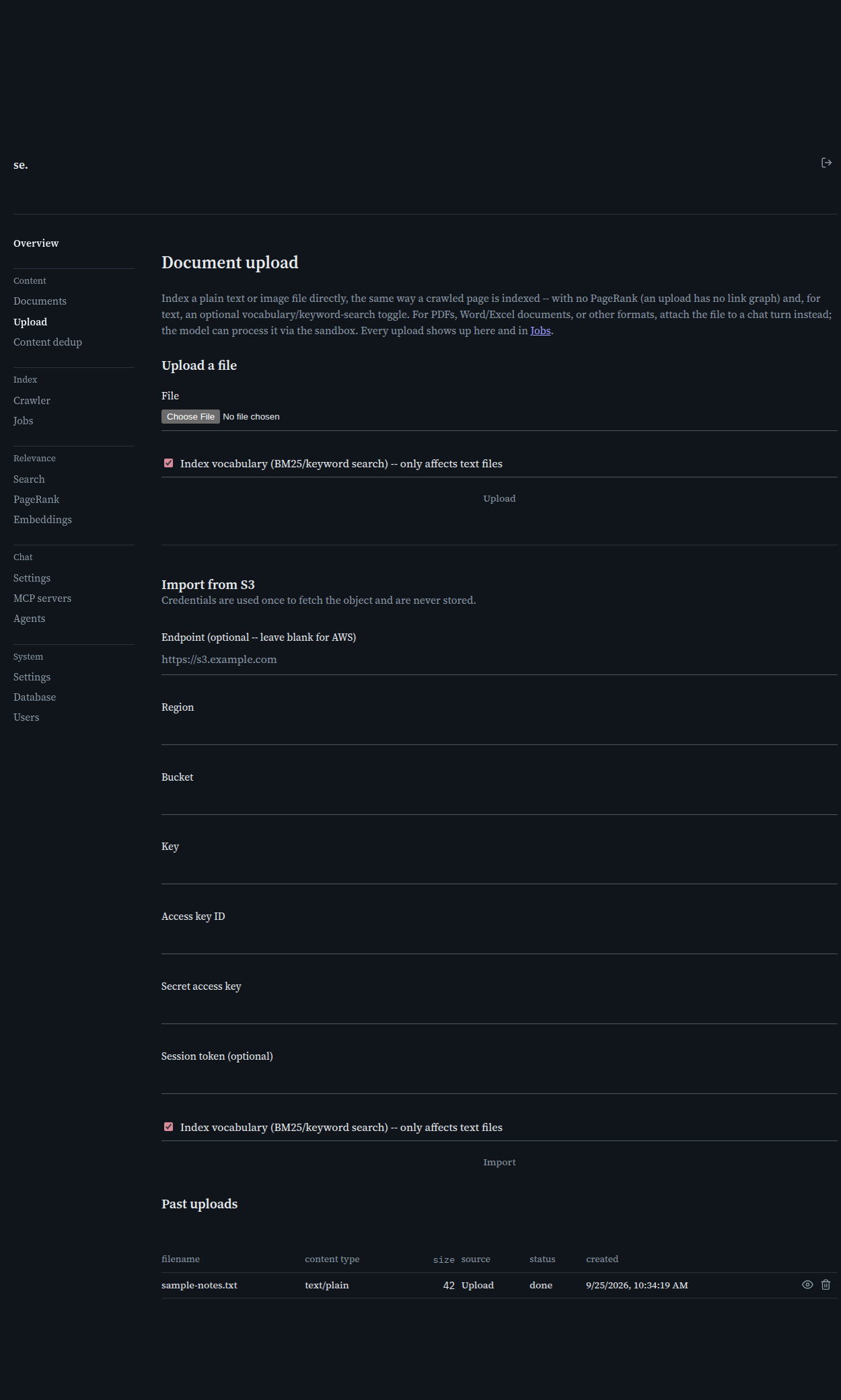
Index a plain text or image file directly, the same way a crawled page is indexed — but with no PageRank (an upload has no link graph to compute one from) and, for text, an optional vocabulary/keyword-search toggle. For PDFs, Word/Excel documents, or other formats, attach the file to a chat turn instead — the model can process it via the sandbox (see MCP servers); this page deliberately doesn’t do per-format extraction of its own.
Upload a file
Pick a file and, for a text file, decide whether to index its vocabulary (BM25/keyword search) — on by default. Only plain UTF-8 text and image/* content are accepted; anything else is rejected with an error rather than silently mishandled. A text upload responds immediately with a queued job, then indexes it in the background — refresh the table below (or the Jobs page) to watch its status. An image upload works differently: its bytes are streamed directly into the configured embedding request and never saved anywhere (not even briefly, in this job’s own record) — the page waits for that to finish before showing “Indexed.” or the failure reason, rather than showing a queued state.
Import from S3
An alternative to a browser upload: fetch an object from an S3(-compatible) bucket by bucket/key/region and credentials. The credentials are used once, to fetch that one object via a signed request, and are never stored — re-enter them for every import. Leave “Endpoint” blank for real AWS; set it (e.g. to an IONOS S3-compatible endpoint) for anything else.
What happens after upload
- Text: indexed for similarity search against every enabled embedding provider, and — if the checkbox was on — for keyword/BM25 search too.
- Image: embedded for similarity search only through the same provider Chat’s own vision-similarity feature uses (Settings → Chat → Image understanding → Similarity search). If that isn’t configured, the image still gets indexed with its metadata, just without a similarity vector. Unlike text, a direct image upload is never buffered or stored anywhere along the way — the raw bytes are streamed straight into that embedding call and discarded once it returns, so there’s no way to preview the image or re-embed it later without re-uploading. An S3-imported image doesn’t have this property (the fetch itself already reads the whole object into memory to verify it), so it still processes in the background like text does.
- Either way, the resulting document has no PageRank and never appears in a crawl’s link graph.
Past uploads
A table of every job this page has created, most recent first — filename, content type, size, source (upload vs. S3 import), status, and created-at. Click a row’s View action to open its detail page: full metadata and the indexed text once a text job finishes — no image preview (see “What happens after upload” above for why a direct image upload has nothing left to preview). Delete removes the job and, if it finished indexing one, the resulting document too.
Worth knowing:
- Every upload also shows up in Jobs, alongside crawl jobs.
- S3 credentials are genuinely never persisted anywhere — not in the job record, not in a settings row.
- “Endpoint” is checked against the same guard every other admin-configured endpoint in this app goes through — it can’t be pointed at a link-local address (e.g. a cloud metadata service), even though it’s otherwise fully admin-controlled.
← Documents · ↑ Manual home · Domain detail →