SE - AI chatbot docs
User manual, architecture, and installation reference for SE - AI chatbot
Schedule detail
/admin/schedule/{id}
The edit view for one existing crawl schedule — reached by clicking the edit (pencil) icon on a Schedules row on the Jobs page. Carries the same crawl options as the Crawl page’s form, plus a few fields only relevant to something already saved: whether it’s enabled, and stored (not one-off) credentials.
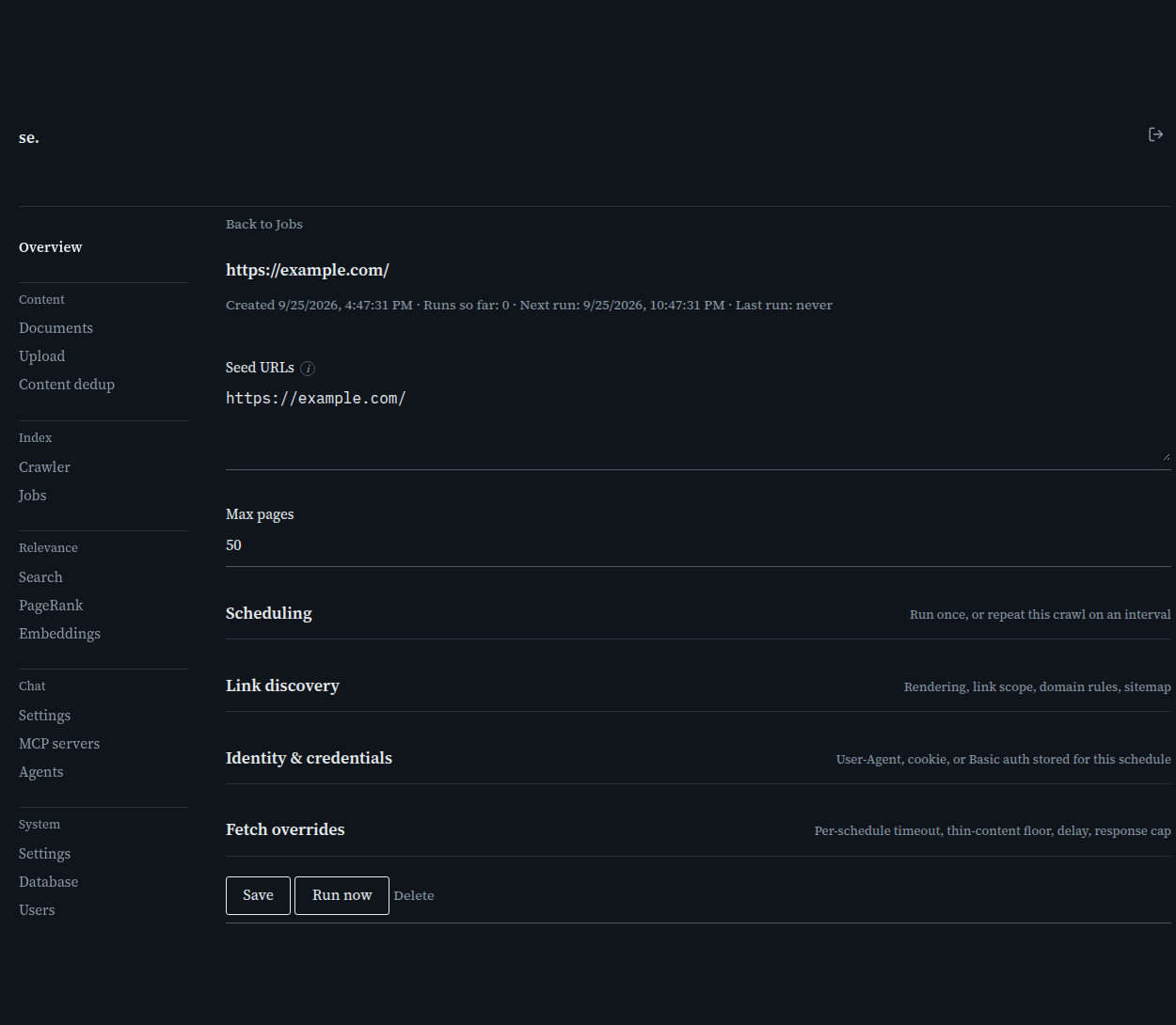
Header: title and run history
The heading shows the schedule’s seed URL(s). The meta line below reports creation time, run count, next run due, and last run (or “never”) — a quick way to confirm the schedule is firing on the expected interval before digging through the Jobs list.
Seed URLs and max pages
Seed URLs takes one URL per line — most schedules have just one, but a crawl can seed from several starting points if a site’s structure calls for it. Max pages caps how many pages each run fetches before stopping, same meaning as on the Crawl page.
Interval, max runs, and Enabled
Interval is minutes between runs; 0 means run once and stop. Max runs caps how many times a recurring schedule repeats before disabling itself — 0 means unlimited, and it’s meaningless if Interval is 0. Enabled is the whole schedule’s on/off switch, but on this page it’s just another field: clicking Save writes it as part of the full replacement below and reschedules the next run to Interval minutes from now, the same as changing any other field here. Only the Jobs page’s Schedules table has a dedicated Enabled checkbox that calls a separate toggle endpoint and leaves the next-run time untouched — use that one there if you want to pause/resume without rescheduling.
Rendering, link scope, and domain rules
These fields — Rendering, Respect robots.txt, How far to follow links, Allowed/Blocked domains, Follow domains already in the index — work exactly as on the Crawl page; see that page for the full explanation. Here they’re just edited for an existing schedule rather than set once at creation.
Discover via sitemap.xml / Prioritize unindexed
Same fields and meaning as on the Crawl page: sitemap discovery pulls in every URL at /sitemap.xml alongside followed links; prioritizing unindexed pages spends a limited page budget on new content before re-fetching already-indexed pages.
Stored credentials: User-Agent, cookie, Basic auth
Unlike the Crawl page’s one-off fields, a schedule’s cookie and Basic auth are stored and reused on every run — the point of scheduling a crawl behind a login. The server never sends a stored cookie or password back: these fields always load blank, with a placeholder (“unchanged — already set”) rather than the value. Leaving them blank on save keeps what’s stored; use the “Remove the stored cookie/basic auth” checkbox to actually clear one, or type a new value to replace it.
Fetch overrides
Fetch timeout, Minimum text length, Delay between fetches, and Max response size override the site-wide Settings defaults for every run, exactly like the Crawl page’s overrides — leave blank to use the current global value.
Save, Run now, and Delete
Save writes every field — including Enabled — as a full replacement and reschedules the next run to Interval minutes from now; unlike the Jobs page’s Schedules table, this page has no separate toggle path for Enabled. Run now marks the schedule due immediately; crawl-server’s scheduler picks it up within seconds, same as a freshly created one-off crawl, and it appears as a running Job on the Jobs page. Delete removes the schedule after confirmation — it doesn’t stop or affect a job already in progress from a previous run.
Worth knowing:
- Running a schedule already mid-run returns a conflict rather than starting a second overlapping crawl — the same seed can’t have two active jobs at once.
- If the page fails to load (bad or deleted ID), the heading shows “Not found” and the form stays hidden rather than showing empty fields.
← Crawl · ↑ Manual home · Jobs →