SE - AI chatbot docs
User manual, architecture, and installation reference for SE - AI chatbot
Crawl
/admin/crawl
Start a new crawl of a site, either a one-off run or a repeating schedule. Every option here — rendering, link scope, credentials, fetch overrides — is per-crawl only; leaving a field blank falls back to the Settings page’s site-wide default.
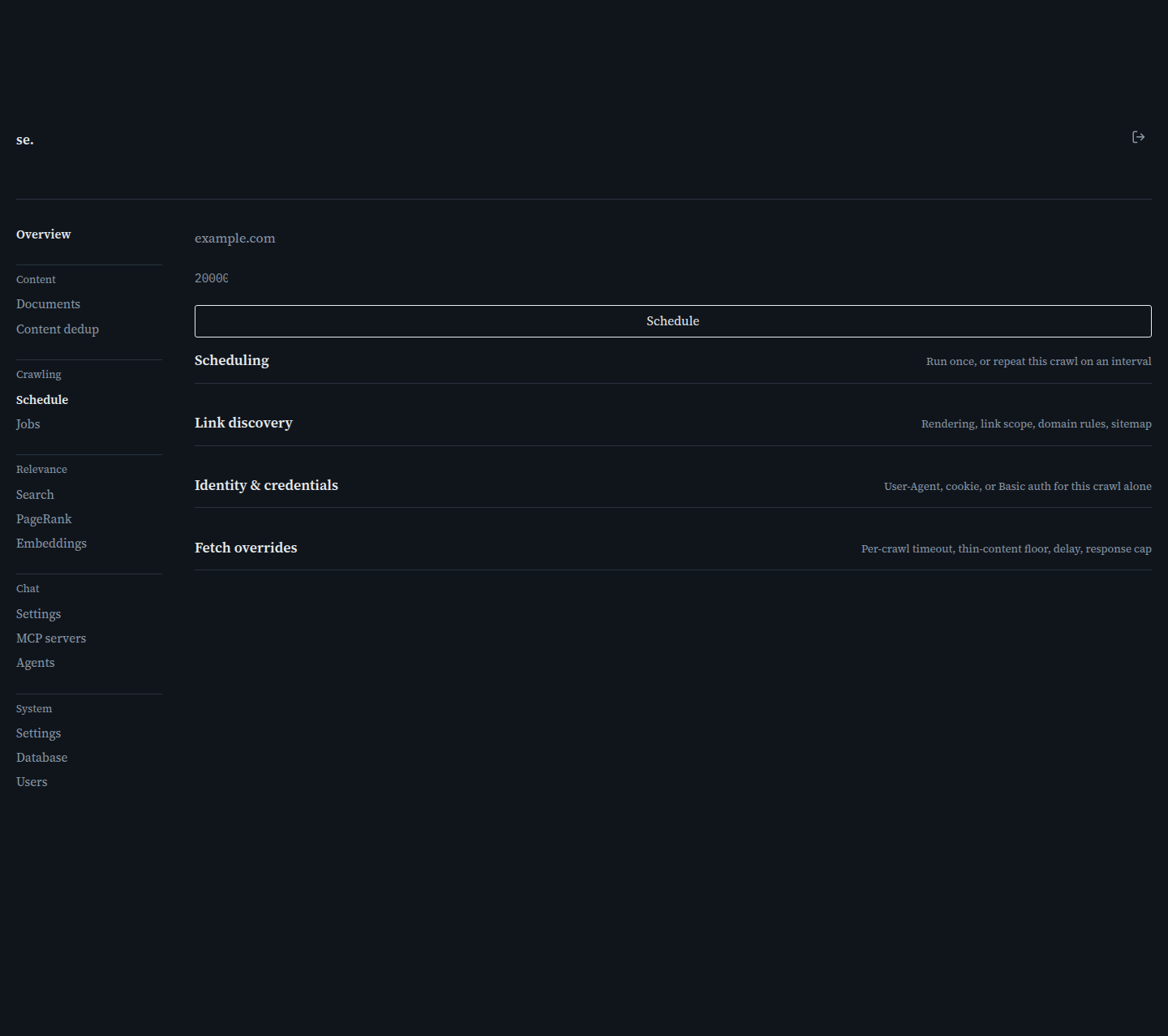
URL and max pages
Type the site’s URL and hit Crawl (or Enter). The field normalizes the scheme when you tab away: it trims stray whitespace and, if the value doesn’t already start with a scheme like https://, prepends https:// — it doesn’t otherwise rewrite the URL (a trailing slash, for instance, is left as typed). Max pages caps how many pages this crawl fetches before stopping (default 20,000) — lower it for a quick spot-check, raise it for a complete pass of a larger site.
Scheduling: interval and max runs
Interval starts pre-filled at 360 (6 hours), not blank — the page opens already in Schedule mode, and the submit button already reads “Schedule” until you change this field. Clear Interval to 0 (or blank) for a one-off crawl instead — the button then reads “Crawl.” Any positive number of minutes keeps it labeled “Schedule”: the crawl repeats on that interval until paused or deleted from the Jobs page’s Schedules table. Max runs only matters for a repeating crawl — blank for unlimited, or set it to disable the schedule automatically after that many runs (e.g. a nightly crawl that stops after 30 nights).
Rendering
“Use site default” follows the Settings/Tuning page’s configuration. Most sites need nothing more than a plain HTTP fetch (None) — fast, no extra install. Pick Chromium or Firefox only for JavaScript-built content that wouldn’t show up in a plain fetch; it’s substantially slower per page, and the first use downloads the browser engine, so expect a delay on that first render-mode crawl.
Respect robots.txt
Off by default: the crawl ignores robots.txt unless checked. Turn it on for a third-party site you don’t control; leave off for your own sites or internal targets you already know are fine to fetch fully.
How far to follow links
Controls which discovered links this crawl follows, strictest to loosest: Exact seed host only stays on the literal seeded host; Seed’s domain, including subdomains also follows blog.example.com from a seed of www.example.com, but not example.org; Same domain, any subdomain, any TLD follows example.org and www.example.de from a seed of example.com, but not other.com; Any domain follows everything discovered. “Use site default” defers to Settings’ global choice, which starts at the TLD-scope option since most real sites span more than one subdomain or TLD.
Allowed / blocked domains
These two lists (one domain per line) sit on top of the link-scope choice, not in place of it. Allowed domains are always followed even if link scope would reject them — use this to pull in a specific partner or CDN domain without loosening scope elsewhere. Blocked domains always win over both link scope and the allowed list — use this to keep a known-noisy domain out even if scope would include it.
Follow domains already in the index
Off by default. When checked, a discovered link is followed even outside link scope as long as its domain already has a page indexed here — a domain worth indexing is worth following further, wherever it’s linked from. Blocked domains still take precedence.
Discover pages via sitemap.xml
Off by default. Check it to also fetch /sitemap.xml from the seed’s domain and queue every URL it lists, alongside links found from the seed page. Turn this on for a site with a sitemap you trust to be complete — a reliable way to catch pages with no inbound links from the seed.
Prioritize pages not yet indexed
On by default. New pages are fetched ahead of already-indexed ones, so a limited page budget (Max pages) goes toward new content first. Already-indexed pages still get crawled, just after new ones. Turn it off to refresh existing content before discovering anything new, e.g. after a site-wide content change.
User-Agent, cookie, and Basic auth
These apply only to this one crawl — nothing here is saved, unlike the same fields on a schedule (see schedule-detail). Leave User-Agent blank for the server’s default Firefox string, or set a custom one if a site blocks common crawler user-agents. Cookie header crawls content behind a login by pasting a session cookie (e.g. session=abc123) from a real browser session. The Basic auth fields start read-only and become editable on click — deliberate, so your browser doesn’t autofill a saved password into a one-time crawl credential.
Fetch overrides
Fetch timeout, Minimum text length, Delay between fetches, and Max response size each override the corresponding Settings-page default, for this crawl only. Leave blank to use the current global value — the placeholder shows the actual value, not a generic hint. Raise the delay for a site you don’t want to hit hard; lower minimum text length for deliberately short pages (e.g. reference docs) the global thin-content floor would skip; raise max response size if large pages are getting cut off.
What happens after you submit
Submitting always creates the same kind of record — a crawl definition — regardless of interval. A one-off crawl is due immediately; crawl-server’s scheduler picks it up within seconds and creates the Job you’ll see on the Jobs page. A repeating crawl shows up under Schedules on the Jobs page instead, where you can pause, edit, or delete it later.
Worth knowing:
- Submitting a URL whose exact host already has a schedule or pending one-off crawl replaces that entry’s options in place rather than duplicating — at most one schedule per host, not per domain (www.example.com and blog.example.com dedup separately, even though “Seed’s domain, including subdomains” link scope would follow both from either one).
- To change a crawl’s options after creating it, go to the Jobs page and click its row’s edit icon — that opens schedule-detail, with the same fields plus a few schedule-only ones (Enabled, stored credentials).