SE - AI chatbot docs
User manual, architecture, and installation reference for SE - AI chatbot
Content Dedup
/admin/content_dedup
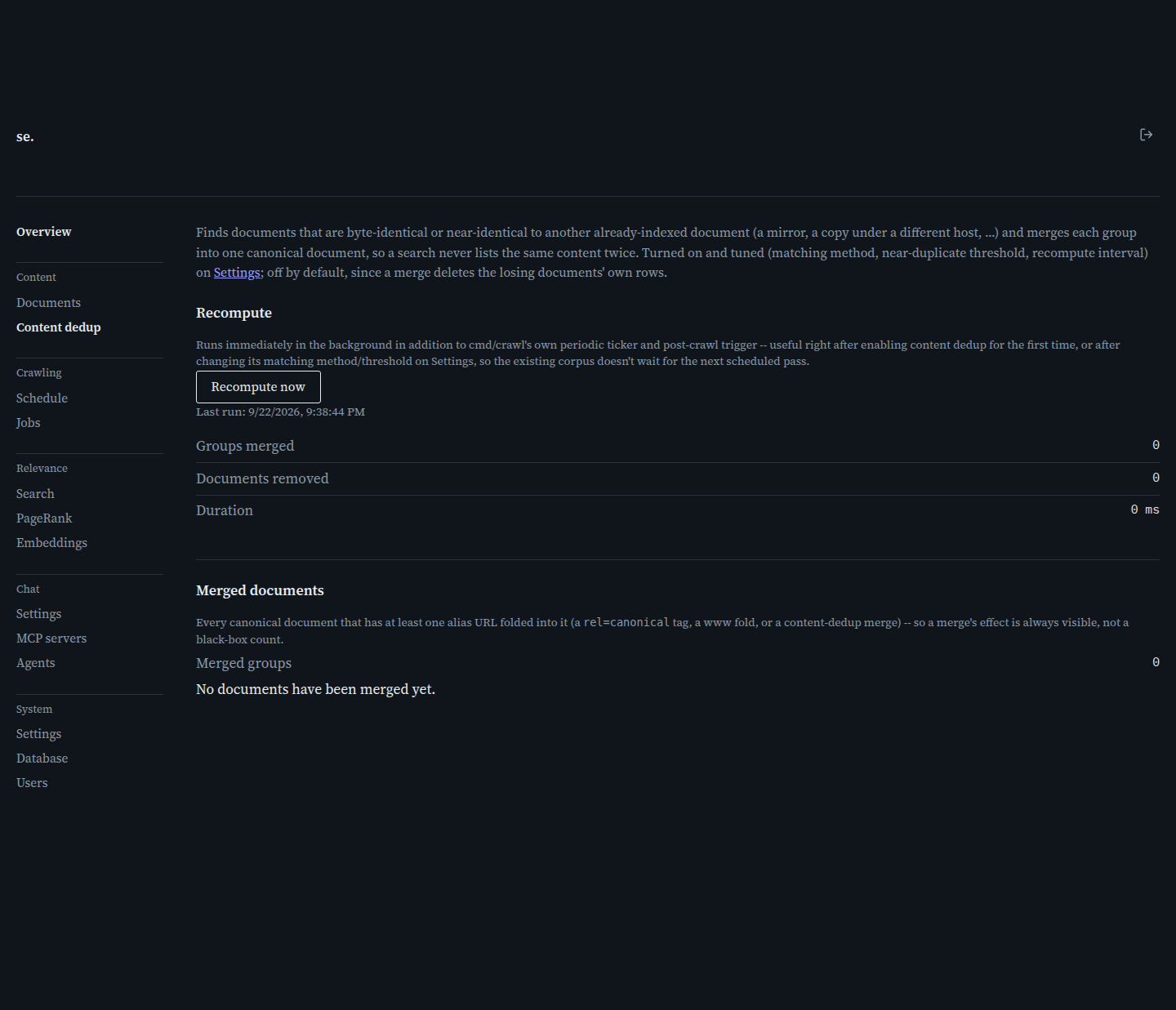
Finds documents that are byte-identical or near-identical to another already-indexed one — a mirror site, a copy of an article under a different host — and merges each group into one canonical document, so a search result never lists the same content twice. Shows the last recompute’s status, lets you trigger a new one, and lists every document with aliases folded into it.
What content dedup actually does
A document fingerprint comes from its normalized text: an exact hash for byte-identical matches, and (when “simhash” is enabled) a 64-bit SimHash fingerprint for near-duplicates, such as two copies of the same article with a different ad banner. When two or more documents share a fingerprint (exact match, or within the configured SimHash distance), the job keeps one — shortest hostname, ties broken by earliest crawl — and merges the rest into it. Merging is destructive: losing documents are deleted from the index, and their URLs are recorded as aliases of the survivor. This is on by default — a search should never list the same content twice — but it’s destructive (a merge permanently deletes the losing documents’ rows), so review its matching method and near-duplicate threshold on the Settings page, and turn it off there if you’d rather not have documents merged automatically.
Recompute now
Shows whether a recompute is running, when the last one finished, and its result: groups found and merged, documents removed, run duration. Click “Recompute now” to force a fresh full-corpus pass instead of waiting for the periodic run (Settings’ recompute interval) or the automatic post-crawl pass — most useful right after first enabling dedup, or after changing its matching method or threshold, since the existing corpus needs a pass under the new settings. The button is disabled while a recompute runs anywhere — this tab, another admin, or an automatic trigger — since the status is shared across every process on the database. Clicking it while one runs elsewhere is rejected rather than starting a second overlapping pass, since two concurrent runs merging from separate corpus snapshots can leave inconsistent alias records.
Reading the recompute result
“Groups merged” is the number of duplicate/near-duplicate clusters folded into one document each. “Documents removed” is the total losing documents deleted — always at least the group count, since a group of 2 removes 1 and a group of 3 removes 2. “Duration” is the pass length in milliseconds; near-duplicate matching on a large corpus can take a while, since it adds pairwise comparisons within banded buckets on top of the fingerprint scan. Zero for both after a run isn’t an error — it just means nothing new to merge.
Merged documents
Lists every canonical document with at least one alias, so a merge’s effect stays visible rather than a black-box count. Each row shows the canonical URL — the survivor, served in search results — and its aliases, each with why it was folded. “canonical tag” is ordinary crawl-time bookkeeping (a rel=canonical link, or a www/bare-domain fold) where no document was ever deleted; “exact-content merge” and “near-duplicate merge” mean a real dedup pass deleted that row. A canonical document can accumulate aliases from more than one source over time, hence listing them individually. Paginated 20 rows at a time; shows “No documents have been merged yet” when clean.
Worth knowing:
- Content dedup runs by default; its matching method, near-duplicate threshold, and recompute interval are configurable on Settings, including turning it off entirely if you’d rather review duplicates manually.
- A merge deletes losing documents permanently. With near-duplicate (SimHash) matching, review the Merged documents table after a recompute — too loose a threshold can fold together documents that only coincidentally look similar.
← Vocabulary term detail · ↑ Manual home · Crawl →