SE - AI chatbot docs
User manual, architecture, and installation reference for SE - AI chatbot
Embedding endpoint detail
/admin/embeddings/endpoint/{id}
The add/edit form for one HTTP embedding endpoint: connection details, chunking behavior, and two live probes (List available models, Test connection) that call the endpoint for real before you save. Same page handles creating (route ends in /new) and editing.
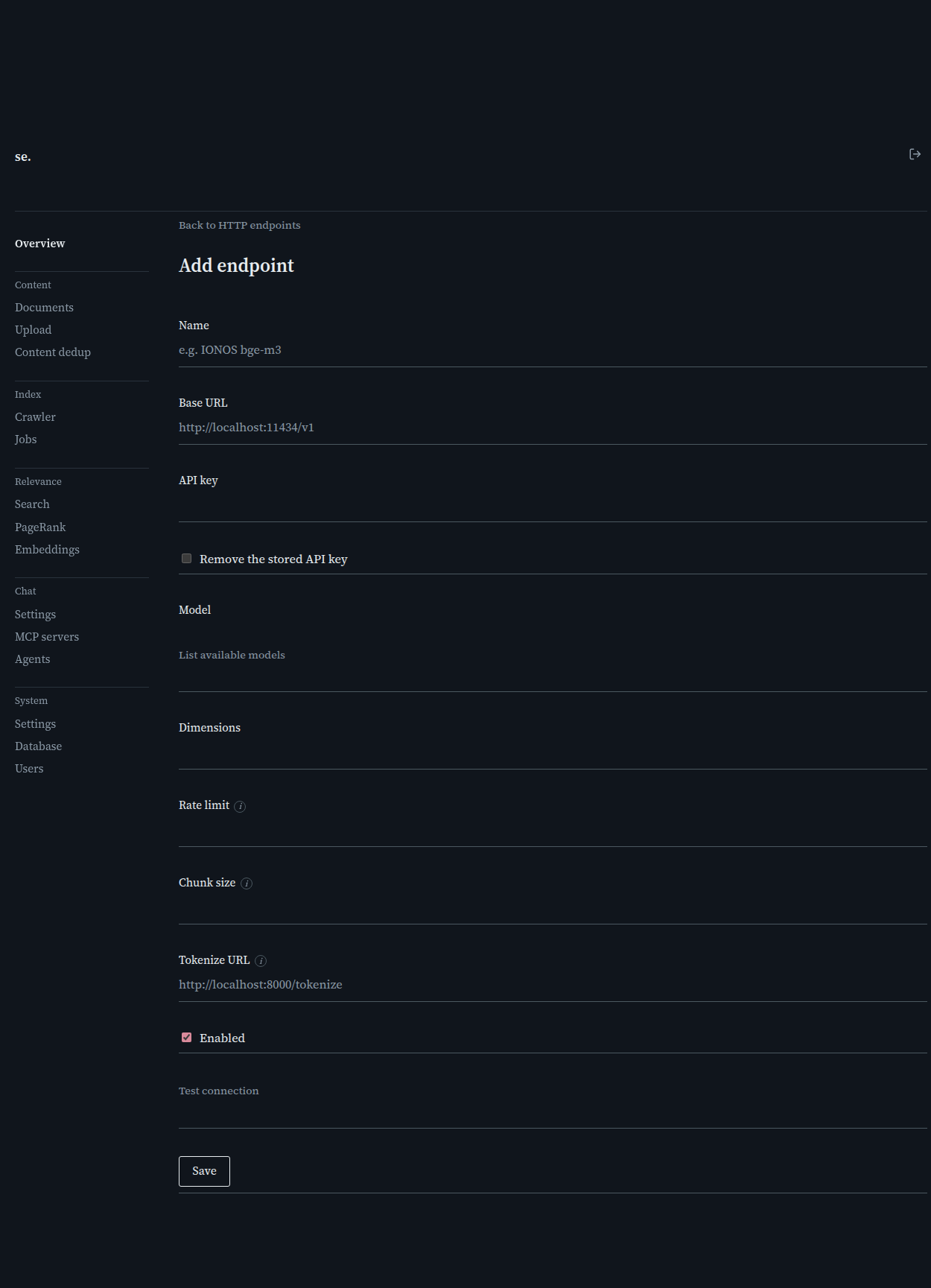
Name and Base URL
Name is the display label everywhere else (endpoints table, Settings weight picker, embeddings overview). It also mints the endpoint’s internal ID on first save – lowercased, non-alphanumeric collapsed, deduped against every other ID and the reserved word “hash.” That ID never changes afterward, since it’s the actual database column/index suffix storing this provider’s vectors. Base URL is the OpenAI-compatible embeddings API root, e.g. http://localhost:11434/v1 for local Ollama – the server appends /embeddings itself.
API key
Sent as an “Authorization: Bearer
Model
The model name sent in the request body’s “model” field – whatever the endpoint expects, e.g. bge-m3 or text-embedding-3-small. Use “List available models” to query the endpoint directly with the form’s current (even unsaved) values; not every provider supports this, in which case you’ll see a message saying so rather than an error.
Dimensions
The expected embedding vector length. Must match reality – the server errors if a real response’s length differs, and this number sizes the database column/index storing this provider’s vectors. Check the model’s docs if unsure; common values are 768, 1024, or 1536.
Rate limit
Caps real HTTP requests per second against this endpoint, per network call (not per document – chunking can fire multiple calls for one document). Leave at 0 for unlimited, fine for a local server you control. Set lower for a hosted provider with its own limits to avoid throttling during a recompute or busy crawl.
Chunk size
The max tokens sent per embed call before longer text splits into chunks, each embedded separately and mean-pooled into one vector – exists because embedding models have a hard context limit, and a long document would otherwise fail outright. Set to 0 to never split, fine for short documents or a generous context window. When set, chunk boundaries are measured by an exact tokenizer (Tokenize URL below) or, absent that, a character-count estimate, close enough for most models but not exact.
Tokenize URL
An optional separate endpoint – e.g. vLLM’s own /tokenize – called for an exact token count, used only to size chunks precisely when Chunk size is non-zero. Opt-in: blank falls back to the character-count estimate, which works fine but can occasionally over/under-split near the boundary. Worth setting if you’re seeing chunking failures, or want precise boundaries against a small context window.
Enabled
Controls whether this endpoint’s embeddings stay current on every crawl. Unchecking it doesn’t delete already-computed vectors – it just stops updating them, so results from it (if still weighted as active) drift stale over time. A new endpoint starts checked.
Test connection
Makes one real embed call against the form’s current (even unsaved) values, so you find out immediately if credentials or the URL are wrong rather than discovering it later. Shows “Connection succeeded” or the endpoint’s actual error (bad credentials, network failure, dimension mismatch, etc.).
Save and Delete
Save creates a new endpoint (redirecting to its detail page once minted) or updates the existing one in place. Delete is available only when editing (not on “Add endpoint”) and asks for confirmation, warning that search and recompute will no longer use it – same as deleting from the endpoints list page.
Worth knowing:
- Test connection and List available models both work against unsaved form values, so you can validate a brand-new endpoint before clicking Save.
- Testing an existing endpoint without retyping the API key is fine – the probe falls back to the real stored key when the field is left blank.
← HTTP embedding endpoints · ↑ Manual home · Chat Settings →