SE - AI chatbot docs
User manual, architecture, and installation reference for SE - AI chatbot
Database
/admin/database
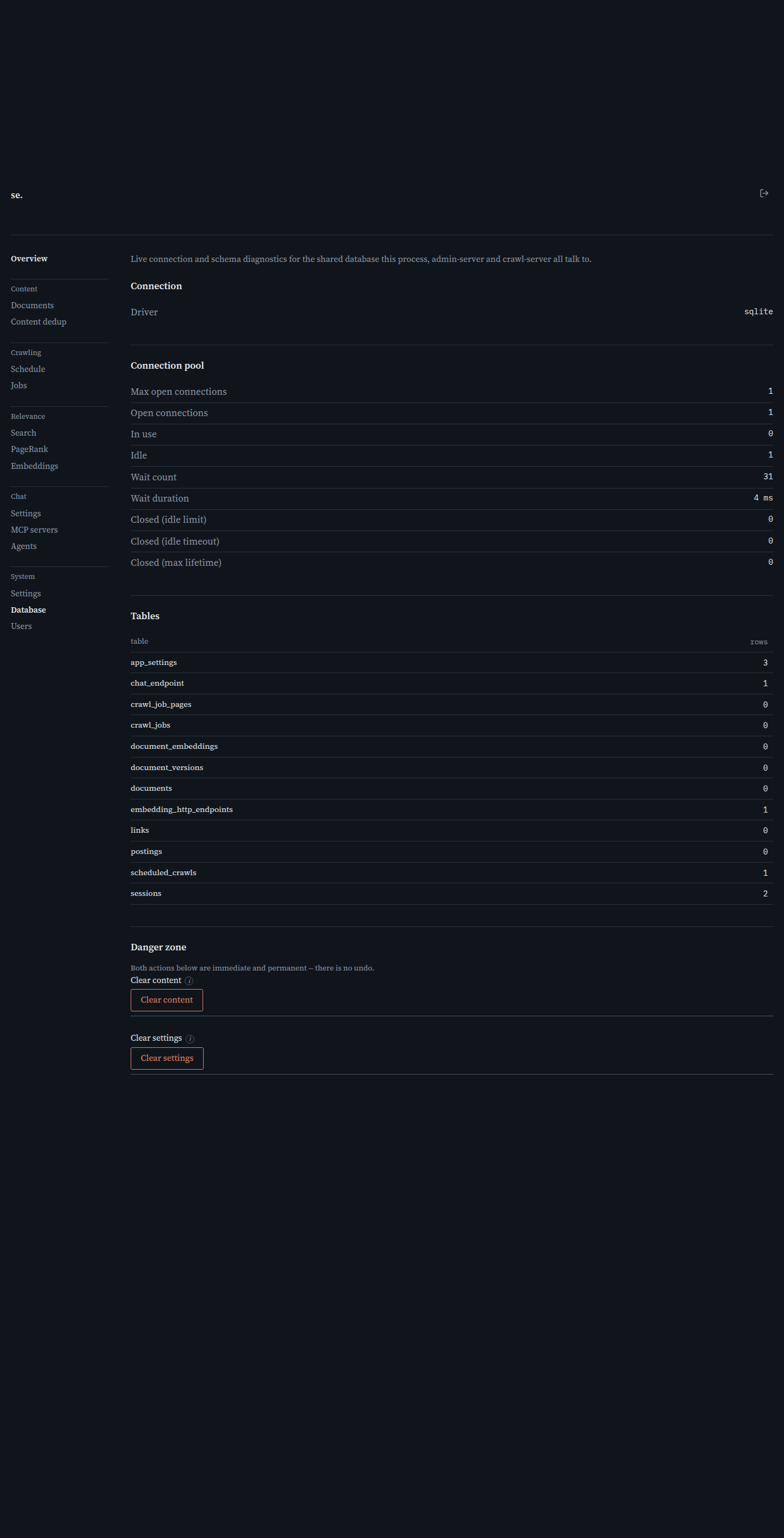
Shows live diagnostics for the SQL database search-server, admin-server and crawl-server all share, plus two irreversible bulk-delete actions. Use it to check connection health, see table sizes, and — only when you really mean it — wipe crawled content or reset configuration to defaults.
Connection
Shows the database driver this deployment runs on: sqlite locally/CI, postgres for the dev deployment at se.mo-sys.de. Read-only, set at install time by the binaries’ DSN. Useful for confirming you’re in the right environment before touching the danger zone below.
Connection pool
Live numbers from Go’s sql.DBStats for this admin-server process’s pool: open vs. configured maximum, in-use vs. idle, requests that had to wait (count and duration), and connections closed by the idle-limit, idle-timeout, or max-lifetime setting. A healthy pool shows low wait count/duration; a climbing wait count means the pool is undersized or something’s holding connections too long. Diagnostic only — pool limits are set at the code/config level, not here.
Tables
A row-count per table, sorted alphabetically — documents, postings, crawl jobs, sessions, settings tables, and everything else the schema defines. Use it as a sanity check after a crawl (counts should climb) or a clear-content run (they should drop to zero). A surprising number — postings much smaller than expected relative to documents — is usually the first sign something upstream didn’t finish cleanly.
Danger zone — Clear content
Permanently deletes every crawled document and everything derived from it — postings, links, versions, embeddings, aliases — plus every crawl job. All settings tables are left untouched, so your configuration survives. Use this to start crawling from a clean slate without redoing setup. Gated only by a plain browser confirmation (no typed phrase), fires immediately, no undo — a real DELETE across every content table, not a soft delete.
Danger zone — Clear settings
Permanently deletes every row of every settings table: tuning weights, operational settings, ranking overrides, the chat endpoint, embedding endpoints, and crawl schedules. Crawled content is untouched. This admin-server process resets its in-memory settings to defaults immediately, but search-server and crawl-server only pick up the change on restart — until then they run on stale settings, out of sync with the database. Use this when configuration has gotten into a bad state you’d rather reset than debug; rare day to day. Same plain confirmation dialog, no undo.
← Settings: System · ↑ Manual home · Users →